
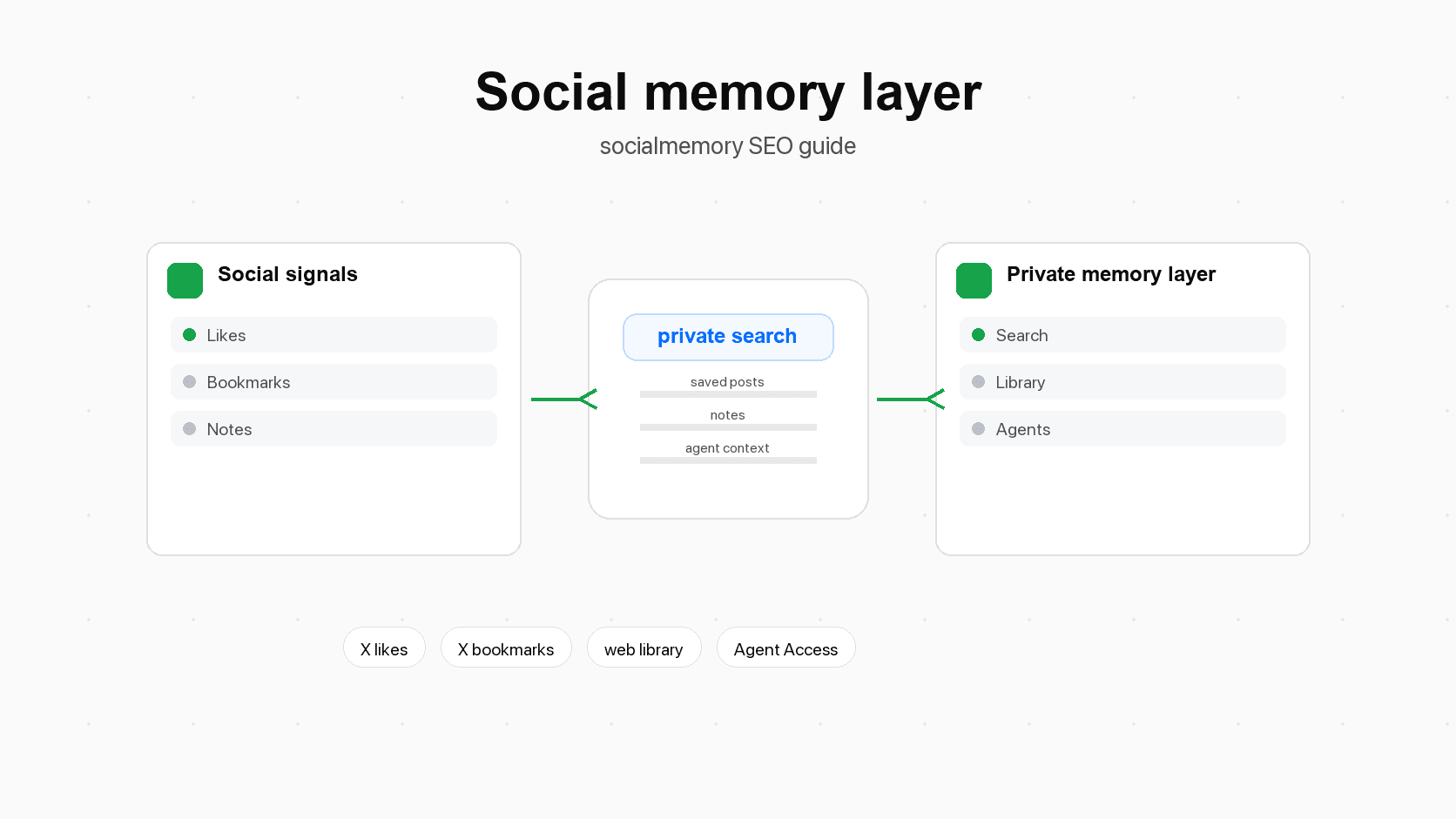
Why this category matters now
Social apps became discovery surfaces
For many builders, X (formerly Twitter) is not only entertainment. It is where they discover libraries, design references, startup lessons, pricing takes, AI tools, workflows, code snippets, open-source projects, launch notes, and people worth following.
That does not mean every post is reliable. It means the feed has become a discovery surface: a place where useful leads appear before they become polished articles, docs, or courses. Pew Research has reported that X users encounter news and current-event content on the platform, which fits the broader idea that X is often used for timely discovery.
Discovery is easy. Retrieval is the hard part.
Saving something takes one click. Finding it months later often requires exact words, the author's name, the rough date, or a lot of patience. That is where a private memory layer becomes useful.
AI agents make retrieval more valuable than storage
Before agents, saved memory was mostly something you searched manually. You opened a tool, typed words, scanned results, and copied useful context into the place you were working.
AI agents change the value of memory because they can use retrieved context while doing a task. An agent is software that can take steps toward a goal, such as reading files, searching information, summarizing results, or editing code. A coding agent with useful personal memory can do more than answer from general training. It can search the ideas, examples, tradeoffs, and preferences you already saved.
This is why a social memory layer matters. The goal is not to hoard more data. The goal is to make the right context available at the moment of work.
Personal context becomes a real advantage
Generic AI tools start from generic context. They know a lot about the world, but they do not automatically know your taste, your projects, your favorite examples, your friends' recommendations, your past decisions, or the posts that shaped how you think.
Personal context is the difference between:
- "Give me general onboarding advice."
- "Find the onboarding posts I saved, compare the patterns, and help improve this onboarding page."
The second request is more valuable because it combines general AI ability with your own memory. A social memory layer is the place that makes that possible.
What this unlocks in real life
A social memory layer becomes interesting because the questions people actually ask are not database queries. They are human questions.
| Situation | Weak workflow today | Better workflow with a social memory layer |
|---|---|---|
| Starting a project | Search X, scroll bookmarks, ask an agent from scratch | Search saved posts first and give the agent a project-specific memory brief |
| Remembering a recommendation | Search chats, texts, notes, and DMs separately | Ask who recommended the item and why it matched your taste |
| Preparing for a meeting | Read a contact profile and guess the context | See people, past notes, saved posts, shared topics, and follow-up cues |
| Building a product page | Browse generic examples | Retrieve saved examples that already match your taste |
| Learning a topic | Re-google broad sources | Start from posts, articles, threads, and people you already saved |
| Keeping relationships alive | Rely on memory and guilt | Use reminders, birthdays, notes, and shared context to follow up thoughtfully |
| Working with an agent | Paste context manually every time | Let the agent retrieve relevant saved memory when the task needs it |
This is why the category is broader than "better bookmarks." Bookmarks are one input. The real product idea is personal context at the moment it can be used.
A practical first workflow: build your saved-X memory layer
1. Start with what you already saved
Do not begin by inventing a perfect taxonomy. Start with the existing behavior. If you already like and bookmark useful X posts, that is enough.
The first move is to sync those posts into a private library. In socialmemory, that means connecting Chrome sync, letting the first sync collect likes and bookmarks newest-first, and allowing the library to fill progressively.
2. Search before starting new work
Before beginning a project, search your saved X memory. Use ordinary phrases first:
- onboarding
- pricing page
- AI agent UX
- launch checklist
- dashboard design
- personal CRM
If you remember exact words, use exact search. If you remember the idea but not the words, use Meaning search when it is ready for your archive.
3. Add notes only when they improve retrieval
You do not need to tag every post. A small number of useful notes is better than a large, fragile filing system.
Good notes explain future use:
- "Use for pricing page examples."
- "Good explanation of agent memory tradeoffs."
- "Ask Maya about this recommendation."
- "Design reference for dense library UI."
Good tags group durable themes:
- agents
- pricing
- onboarding
- design
- code
- launch
- personal-crm
- movies
- recommendations
4. Ask an agent when the task needs context
Once Agent Access is connected, ask for memory in the same terms you would use with a teammate:
> Search my saved X posts for onboarding examples. Group the best ones into patterns, then use them to suggest improvements for this product onboarding flow.
Or:
> Find posts I saved about personal CRM, relationship memory, and birthday reminders. Summarize the common ideas and suggest how they connect to the social memory layer article.
The point is not that the agent replaces judgment. The point is that it can gather the right saved context faster than you can scroll.
Privacy, trust, and product boundaries
A social memory layer should be private by default. It is not a public social graph. It is not a growth analytics dashboard. It is not a system for spying on friends or predicting people without consent.
The trust model should be simple:
- The user chooses what to connect.
- The memory is used for the user's benefit.
- The product explains what it can access.
- The user can remove saved items.
- Agent access is explicit and revocable.
- Technical setup details should stay out of normal consumer copy unless the user is in a developer or advanced setup context.
This boundary is especially important as the category expands. Remembering birthdays, recommendations, messages, and relationship context can be genuinely helpful. It can also feel invasive if framed carelessly. The right framing is not "remember everything about everyone." The right framing is "help me use the context I intentionally keep, in a way I control."
For socialmemory today, the safe promise is narrower: find and use the X posts you already liked or bookmarked. The broader promise is a direction: a private social memory layer for the AI era.
Sources for What Is a Social Memory Layer?
- help.x.comX Help page for bookmark behavior and privacy. Use to support native bookmarks as saved posts inside X.
- help.x.comX Help page for likes. Use to support likes as an existing social signal and to avoid overexplaining from memory.
- help.x.comX Help page for advanced search. Use for exact-search fallback and the point that native X search is useful when the user remembers specific words, people, or dates.
- www.pewresearch.orgPew Research source on X as a surface where users encounter news and current-event content. Use carefully as discovery-surface context, not as a claim that X is always reliable.
- fortelabs.comForte Labs overview of Building a Second Brain. Use for external memory, capture, organization, retrieval, and reuse framing.
- www.notion.comNotion second-brain template category. Use as category context for personal knowledge management and second-brain vocabulary.
- evernote.comEvernote Web Clipper feature page. Use only to compare intentional web clipping and notes with passive social signals.
- raindrop.ioRaindrop homepage. Use as context for broad bookmark managers and why socialmemory should not position itself as a generic bookmark manager.
- help.raindrop.ioRaindrop search docs. Use to compare modern bookmark search, tags, content search, and meaning search concepts with socialmemory's saved-X focus.
- docs.readwise.ioReadwise Twitter/X import docs. Use as adjacent-tool context for saving tweets, threads, and bookmark import history.
- getdex.comDex personal CRM guide. Use for personal CRM category context around relationships, reminders, birthdays, notes, and follow-ups.
- www.ibm.comIBM explainer on AI agent memory. Use for long-term memory, retrieval, and the idea that agents use stored context across sessions.
- modelcontextprotocol.ioOfficial MCP introduction. Use as technical background for AI apps connecting to external systems. Keep MCP wording light in the consumer article.
- developers.openai.comOpenAI Codex docs. Use for Codex as a coding agent that can read, edit, and run code.
- code.claude.comClaude Code memory docs. Use for the idea that coding agents can use persistent instructions/memory, and as source context for Claude Code references.
Social memory starts with the signals you already create
Most personal knowledge systems begin with intentional capture. You open Notion, Apple Notes, Obsidian, Evernote, or another tool and write something down. That is useful, but it misses a huge part of modern life: the signals you create while simply using social apps.
A like can mean "I agree with this," "I want to encourage this person," "this is funny," "this is useful," or "I might need this later." A bookmark is usually more intentional. It often means "save this for future me." A message can contain a recommendation, a plan, a memory, or a relationship clue. A follow can mean "this person has judgment I want to keep near me." A birthday, note, contact, or recommendation can become useful later even if it never looked like a formal note.
Individually, each signal is small. Together, they form a personal map. A social memory layer turns that map into something you can use.