
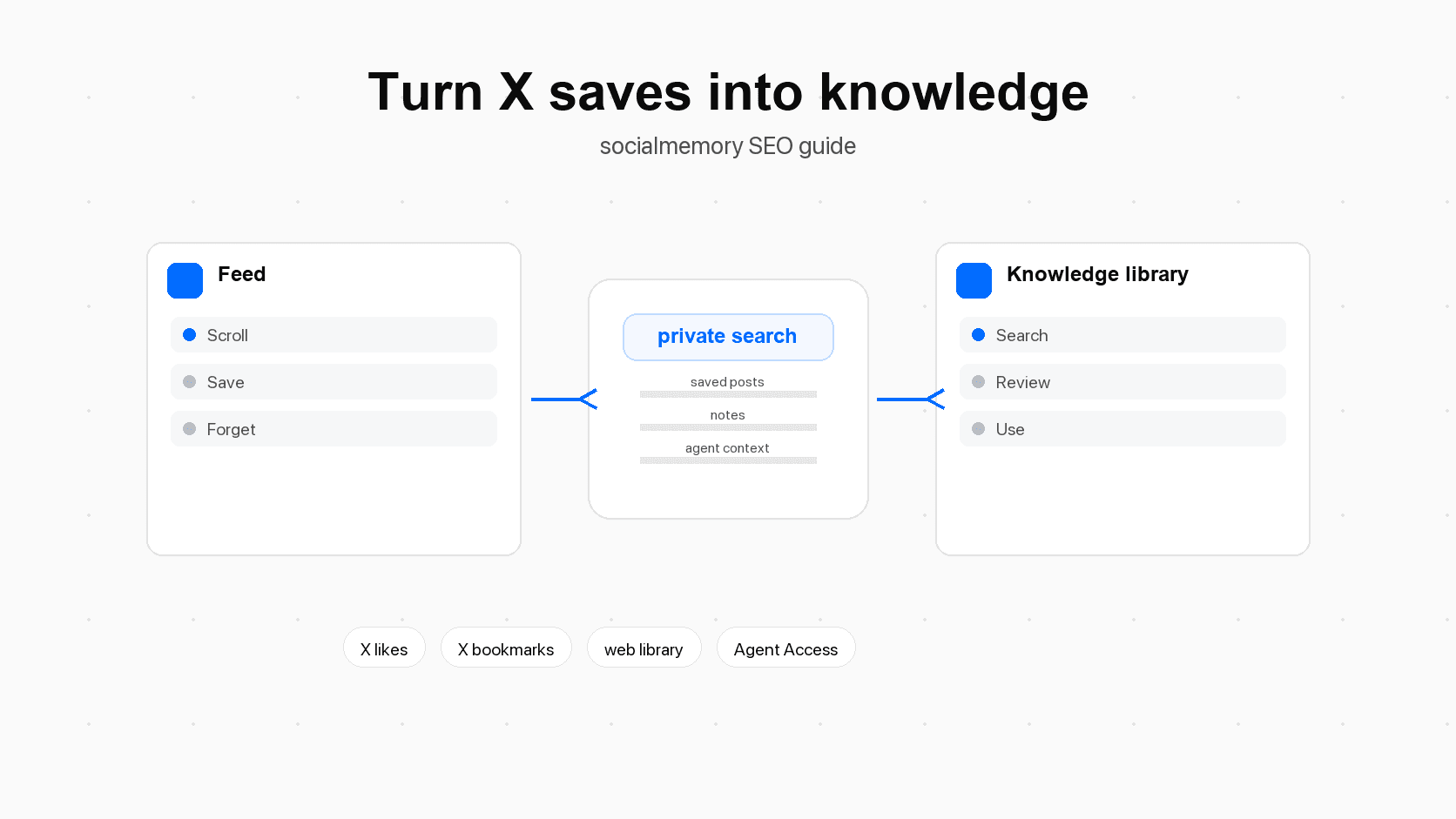
Scrolling is discovery, not failure
It is easy to talk about scrolling as if it is always wasted time. That is too simple. For builders, founders, designers, developers, researchers, and writers, X (formerly Twitter) is often where useful ideas appear first. A product lesson shows up as a short thread. A new library is announced by the maintainer. A designer posts an onboarding teardown. A founder shares a pricing mistake. A researcher links to a paper. A developer explains a bug in plain language.
That is discovery. Discovery means finding something useful before you were deliberately searching for it. X is good at that because the feed is live, social, and messy. You see posts from accounts you follow, recommended posts, replies, quote posts, links, images, videos, and breaking conversations. The same mess that makes X distracting also makes it a powerful place to notice ideas.
X is where builders notice work before it becomes a task
Many saved posts are not useful immediately. They are useful later, when the right project appears. A pricing bookmark may matter when you write a pricing page. A liked code snippet may matter when a prototype needs that library. A design reference may matter when you build onboarding. These saves are signals: small clues that say, "future me may need this."
The problem starts when the feed becomes the storage system
The feed is good at discovery, but weak as long-term storage. Storage means the place where something lives when you need it later. X can help you revisit bookmarks, and X advanced search can help when you remember exact words, dates, or accounts. But a builder's real problem is often fuzzier than that.
You may remember the concept but not the phrase, the screenshot but not the author, or the tool but not whether it appeared in a thread, image, article card, or reply. That is where passive saving breaks. The useful part did not disappear because you were lazy. It disappeared because the feed was asked to act like a durable personal knowledge system.
What knowledge means for saved X posts
Knowledge does not mean every saved post becomes a polished note. That would be too much work. In this article, knowledge means a saved idea can be found, understood, connected, and used later.
That definition matters because it keeps the workflow lightweight. The goal is not to build a museum of everything you ever liked. The goal is to make the useful fraction of your saved X posts available when work needs it.
A saved post is a memory signal
A memory signal is a small mark that says, "this may matter later." Likes, bookmarks, follows, favorites, tags, notes, and repeated searches can all become memory signals. On their own, they are weak. With a system around them, they become stronger.
Here is the difference:
| Saved signal | What it means at capture time | What turns it into knowledge |
|---|---|---|
| Bookmark | "I want to revisit this." | Searchable text, source context, tags, and a later review. |
| Like | "This caught my attention." | Inclusion in the archive, source filter, and a decision about whether it matters. |
| Quote post | "This post reacts to another idea." | Preserved quote context so the saved item still makes sense later. |
| Link or article card | "There is more outside the post." | Saved link context, article title, and a note about why it mattered. |
| Image or screenshot | "The visual is the point." | Media preview, topic tag, and a short description if the reason is not obvious. |
| Tag | "This belongs to a category." | Consistent tag vocabulary used during search and review. |
| Note | "Here is my reason for saving." | A sentence that connects the post to a project, decision, or future task. |
Active knowledge has context, retrieval, and a next use
Active knowledge has three parts.
Context means the saved post still makes sense later. You can see the author, text, date, source state, media, quote post, article card, or your note. Retrieval means you can find it again through exact words, tags, filters, or meaning-based search when that is ready. Next use means the post has a job: inspire a design, support a decision, feed a weekly digest, help an agent, or become part of a project brief.
Without those three parts, a bookmark is just a saved object. With them, it becomes usable memory.
What gets lost between saving and using
The gap between saving and using is where most X knowledge dies. The save action is quick. The later search is vague. The original context is often scattered across the post, quote, media, reply chain, link, and your own reason for caring.
The four kinds of context that disappear
Four kinds of context usually disappear first:
- Wording context: the exact phrase the post used.
- Source context: who posted it and when.
- Attachment context: the quote post, image, video, link card, or X Article attached to the save.
- Personal context: why you saved it and where you expected to use it.
The first three are about the post. The fourth is about you. That personal context is often the most important, because two people can save the same post for different reasons.
Builder examples: product, design, code, writing, and research
Imagine five common saves: a pricing teardown, a thread of checkout screenshots, a post about a new open-source database, a sharp framing for AI agents, and a research thread with primary links. None of those saves are useful because they exist in a list. They become useful when you can search, filter, reopen, and connect them to the right project.
The job is not to save more. The job is to make saved material easier to reuse.
The active knowledge workflow
A good X knowledge workflow has four steps: capture, clarify, connect, and use. It is intentionally simple. If the workflow is too heavy, you will abandon it and go back to endless saving.
| Workflow step | Plain-language meaning | What to do with saved X posts |
|---|---|---|
| Capture | Save the thing before you lose it. | Like or bookmark useful posts while browsing. |
| Clarify | Decide why it mattered. | During review, add a short note to posts that still feel useful. |
| Connect | Put it near related ideas. | Add tags, favorite important posts, or group them into a digest. |
| Use | Bring it into real work. | Search before projects, ask an agent for a research pack, or cite the post in a brief. |
Capture lightly
Capture should stay fast. If you make saving too formal, you will stop doing it. Use bookmarks for posts you know you want to revisit. Use likes if that is already how you mark weaker interest. Do not force yourself to add a note in the moment unless the reason for saving will be hard to remember.
The capture rule is: save now, decide later. The review loop handles the deciding.
Clarify during review
Clarifying means writing down why the saved post matters. It can be one sentence. For example:
- "Useful example of pricing copy that explains value before features."
- "Possible library for the Chrome extension parser."
- "Good onboarding screenshot for empty-state design."
- "Quote for article about agent memory."
The note does not need to summarize the post. It needs to help future you understand why the post is in the archive.
Connect with tags and notes
Tags are short labels you can reuse, such as pricing, onboarding, design, agents, code, research, or launch. Notes are free-form explanations. Tags help you group. Notes help you remember intent.
Use fewer tags than you think. A messy tag system becomes another archive problem. Start with tags for recurring work areas, not every tiny topic you might save once.
Use saved posts before real work
The workflow pays off when you use saved posts at the beginning of real tasks. Before writing a landing page, search your saved posts for positioning, pricing, onboarding, testimonials, and design references. Before starting a prototype, search for libraries, bug notes, and examples. Before asking Codex, Claude Code, or Cursor to work on a feature, ask your saved X memory what you already collected about that area.
This is the shift from passive scrolling to active knowledge: saved posts start influencing decisions.
A practical tagging system for X knowledge
The easiest tagging system has four kinds of tags: topic, action, status, and people or source. You do not need all four on every post. They are categories to pull from when a post deserves organization.
Topic tags
Topic tags describe what the post is about. Examples: ai-agents, design, pricing, onboarding, growth, code, writing, research, chrome-extension, and second-brain. Topic tags are useful for search and weekly review because they reveal clusters in what you save.
Action tags
Action tags describe what you might do next. Examples: try, read, cite, send, test, copy-pattern, ask-agent, and project-kickoff. These tags prevent the archive from becoming only reference material. They make the next step visible.
Status tags
Status tags describe where the item is in your process. Examples: new, reviewed, important, used, stale, and follow-up. Use status tags lightly. For most people, important, follow-up, and used are enough.
People and source tags
Sometimes the author matters as much as the topic. Use people or source tags when a post helps you remember a specific account, company, project, or community. Examples: from-founder, from-designer, open-source, competitor, customer-voice, and investor. Do not turn this into a full contact database. The point is to find useful saved posts later.
Weekly digest: the review loop that keeps bookmarks alive
A review loop is a repeated habit that turns raw saves into decisions. The simplest loop is a weekly digest. A digest is a short summary of what mattered in your saved posts during a time period.
The weekly digest matters because it creates a second chance to notice what your attention is doing. Maybe you saved ten posts about onboarding this week. Maybe you saved five tools for agent workflows. Maybe your bookmarks are telling you that a project idea is becoming real.
A 20-minute manual digest
You can build a manual digest in 20 minutes:
- Open recent saved posts from the last seven days.
- Keep only posts you would be glad to see again.
- Group them under three to six themes.
- Add links to the best posts.
- Write three actions or questions.
- Add tags to the posts you expect to reuse.
The output can be plain:
| Digest section | Question to answer | Example output |
|---|---|---|
| Summary | What did my saved posts point toward this week? | "Mostly onboarding, agent memory, and pricing clarity." |
| Best posts | Which posts are worth reopening? | "Pricing teardown, MCP example, empty-state screenshot." |
| Themes | What kept repeating? | "Setup friction, trustworthy AI output, better project briefs." |
| Actions | What should I do next? | "Search saved onboarding posts before editing signup." |
| Tags to add | What labels will help future search? | onboarding, agent-memory, pricing, copy-pattern |
| Open questions | What do I still need to learn? | "Do users understand Agent Access before the first sync finishes?" |
An agent-assisted digest
An agent is an AI helper that can do work inside a tool. In this context, Codex, Claude Code, and Cursor are agents that can help when connected to your saved X memory through socialmemory Agent Access.
The agent should not decide what matters forever. It should create a first draft that you can edit. A good prompt is specific:
Create a weekly digest from my saved X posts from the last 7 days.

Include:
- the main themes
- the most useful posts with original links
- tools, libraries, or products mentioned
- action items for my current projects
- tags I should add in socialmemory

Skip posts that are only entertaining. Keep it practical.
Then ask follow-up questions:
Which of these saved posts are useful for my onboarding work?
Which posts should I tag as pricing, design, agents, or code?
Create a short project brief from the saved posts about AI agents.
Find posts I saved that include examples, screenshots, or code snippets.
A digest template to copy
Use this weekly template:
Saved X digest: [week]

1. Summary
2. Main themes
3. Best saved posts
4. Tools or links to try
5. People or accounts to revisit
6. Actions for current projects
7. Tags to add
8. Questions for next week
The template is deliberately boring. Boring templates are easier to repeat.
Project kickoff: use saved posts before starting work
Project kickoff means the beginning of a project, before you start making decisions. This is one of the best moments to use saved X knowledge. You are not searching randomly. You are asking your past discoveries to help with a current task.
Landing page or onboarding example
Before writing a landing page, search saved posts for positioning, pricing, onboarding, social proof, hero copy, empty state, and activation.
Then turn the results into a short brief:
Search my saved X posts for landing page and onboarding examples.
Group the best posts by copy, layout, trust, pricing, and setup friction.
Give me the original links and explain why each one matters.
This is not about copying another product. It is about recovering the examples and lessons you already collected.
Code prototype example
Before starting a prototype, search for posts about libraries, APIs, model behavior, bugs, UI patterns, and architecture decisions. For a Chrome extension project, you might search chrome extension, parser, content script, auth, supabase, local storage, and MCP.
The goal is to avoid starting from a blank page when your saved posts already contain clues.
Writing and research example
Before writing an article, search saved posts for examples, quotes, counterarguments, and sources. A writer working on AI agent memory might search for agent memory, context, MCP, personal data, and second brain.
Then the saved posts become raw material. Some will become citations. Some will become examples. Some will reveal what people misunderstand. Some will be rejected. That decision process is what turns saved material into knowledge.
How agents make saved X memory more useful
Agents make this workflow more powerful because they can search and organize at the moment of work. Instead of manually reopening your archive, you can ask the agent to look through saved posts for a specific task.
What an agent means in plain language
An agent is an AI assistant that can take actions in tools. A chat assistant answers. An agent can often inspect files, call connected tools, search data, write drafts, edit code, and report back. Codex is OpenAI's coding agent. Claude Code is Anthropic's coding agent. Both become more useful when they have relevant context.
Context means the information around a task. For a coding task, context might include the repo, product goals, design references, prior decisions, and saved posts. If your agent can search saved X memory, it can pull in examples and lessons you already marked as useful.
Prompt examples for Codex, Claude Code, and Cursor
Use prompts like:
Before editing this onboarding flow, search my saved X posts for onboarding, setup, activation, and empty-state examples. Return the 10 most useful posts with links and explain how each one might apply.Find posts I saved about pricing pages and SaaS plan design. Group them by copywriting, layout, trust, and objections. Then suggest tags I should add.Search my saved X memory for posts about agent memory, MCP, and personal context. Create a project kickoff brief for a developer-facing article.Find code-related posts I saved about browser extensions, local auth, or Supabase. Keep only posts that look useful for this repo.The useful pattern is always the same: name the current task, name the saved-post topics, ask for links, and ask the agent to explain why each result matters.
Guardrails for agent output
Agent output needs judgment. Ask the agent to include original links so you can inspect the source. Ask it to separate strong matches from weak matches. Ask it to say when it did not find enough. Do not let it invent posts, quotes, or sources. The saved archive is useful because it is grounded in real posts you actually saved.
Limitations and safe expectations
This workflow is powerful, but it has limits.
Use X itself first when you remember exact words, authors, or dates and want to find a public post quickly. Use a private library when you want to search across posts you already saved, add your own context, filter by source, or reuse saved posts during work.
CTA
Sources for Turn X Bookmarks Into Knowledge: Make Your Feed Work for You
- X Help: About Bookmarkssupports bookmark behavior, private bookmark wording, and saved-post language.
- X Help: Advanced searchsupports the recommendation to use X first when the reader remembers exact words, authors, or date ranges.
- X Help: For you timelinesupports the feed/discovery framing, including recommended posts and timeline behavior.
- Pew Research Center: X users' experiences with newssupports the claim that X is a meaningful discovery/news surface for many users, while also allowing nuance about information quality.
- Forte Labs: Building a Second Brain overviewsupports capture, review, resurfacing, and second-brain framing.
- Model Context Protocol docs: What is MCP?supports the plain-language explanation that MCP connects AI applications to external data and tools.
- OpenAI Codex docssupports the statement that Codex is OpenAI's coding agent that can read, edit, and run code.
- Claude Code memory docssupports the broader point that coding agents use persistent project context and memory files.
- Anthropic: Introducing the Model Context Protocolsupports MCP as an open standard for connecting AI assistants to data sources and tools.
- IBM: What is AI agent memory?supports the agent-memory definition and the distinction between short-term context and longer-term memory.