
Saved X posts are working context
Builders save posts long before they know where those posts will be useful. You might like a thread about SaaS pricing in January, bookmark a React component library in March, save a launch checklist in April, and remember none of the author names by June. The value is still there. The problem is retrieval, which means finding something again when the work finally needs it.
Codex and Claude Code are coding agents. In plain language, a coding agent is an AI assistant that can help inspect code, explain code, draft changes, run checks, and reason about a project. Those agents become more useful when they can see relevant context. A generic prompt like "make this better" gives the agent almost no taste, history, or source material. A prompt backed by saved X posts can say, "before changing this pricing page, find the pricing examples I saved and use them as reference material."
What counts as useful context
Useful saved posts are not only code snippets. The most valuable saved X memory often includes product judgment, design taste, examples, and warnings:
- code examples, bug threads, and framework edge cases
- UI references, landing pages, onboarding flows, and dashboard screenshots
- open-source project launches and library recommendations
- pricing model arguments, trial examples, and packaging ideas
- launch checklists, Product Hunt notes, founder lessons, and positioning threads
- writing examples, headline patterns, and explanation styles
- AI agent prompts, workflow diagrams, and memory/tooling discussions
These posts are useful because they are already filtered by you. You saved them because something matched your work, taste, curiosity, or future plan.
Why saved X memory belongs outside the prompt box
Copying one post into a prompt can work for a tiny task. It breaks down when the task needs a pattern across many posts. For example, "find the best onboarding posts I saved and turn them into a setup checklist" requires search, grouping, and comparison. Pasting one link does not solve that.
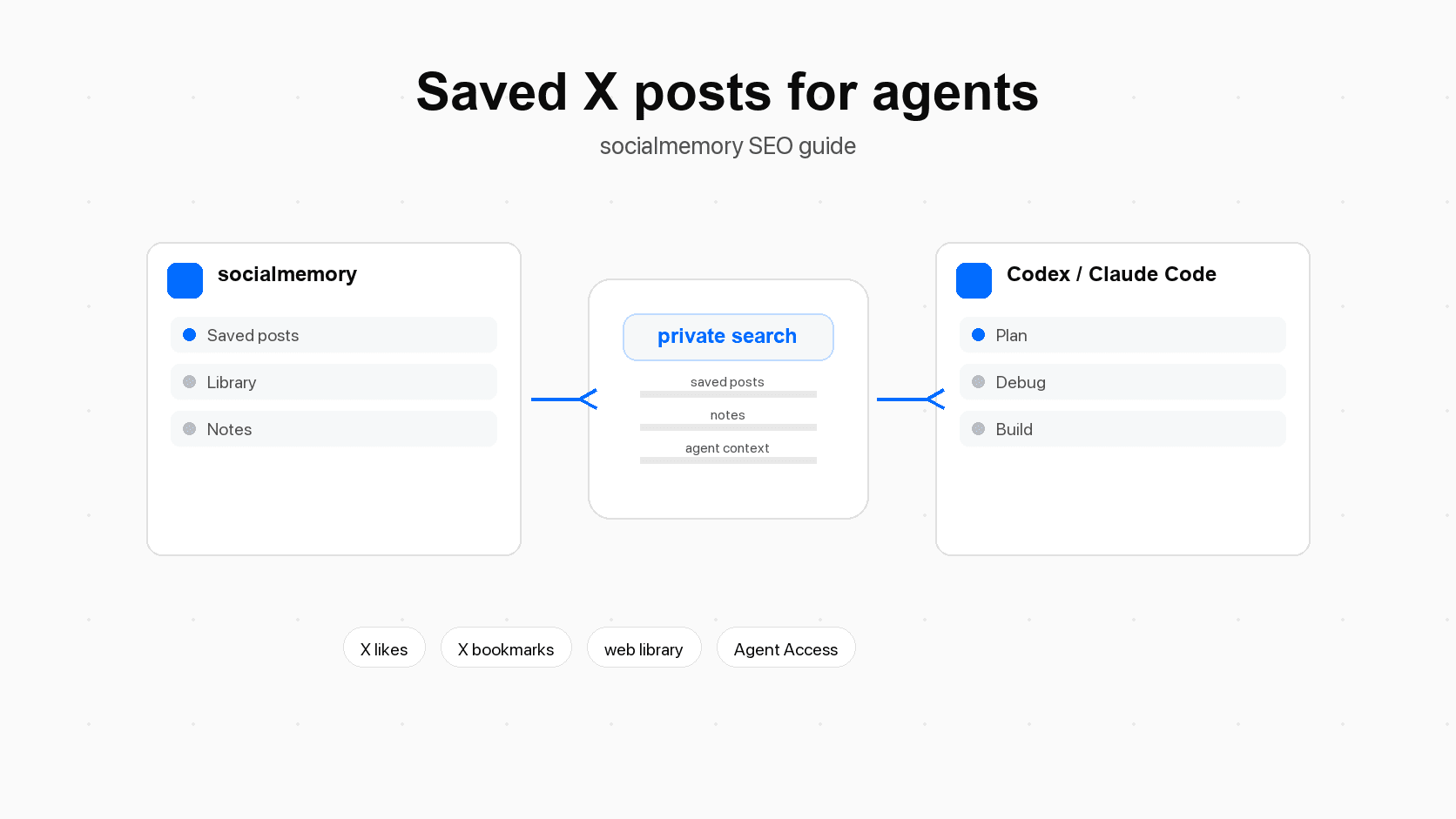
Socialmemory sits between X (formerly Twitter) and your agent. X is where you keep saving posts. The socialmemory library is where those liked and bookmarked posts become searchable. Agent Access is what lets Codex or Claude Code search that same memory while you are working.
Prepare the memory before asking the agent
The quality of the agent answer depends on the quality of the saved memory and the question. Before asking Codex or Claude Code to use saved X posts, do a short preparation pass.
| Preparation step | Why it matters | Good output |
|---|---|---|
| Sync likes and bookmarks | The agent cannot search posts that are not in the archive yet. | Recent saved posts appear in the socialmemory library. |
| Search manually once | Manual search helps you see whether the right posts exist. | A few strong examples, tags, or notes. |
| Add light tags | Tags give repeated topics simple names. | Tags like pricing, onboarding, design, debugging, launch, writing. |
| Name the task | Agents do better with a concrete job than a vague theme. | "Find launch advice for this waitlist page" instead of "use my posts." |
| Set a limit | Limits reduce noisy output. | "Return 8 posts" or "give me 5 themes." |
| Ask for evidence first | The agent should summarize sources before changing files. | A brief with links, reasons, and recommended next steps. |
Sync first
Sync means copying the saved X posts you already liked or bookmarked into socialmemory. In the normal consumer flow, Chrome extension sync is the primary way to do this. After the first sync, the library can fill progressively, newest-first, while the archive continues to build.
Exact search is useful as soon as posts exist. Meaning search should only be described as ready when AI search preparation is ready. If the article is integrated with product copy, avoid saying meaning search is always available.
Add lightweight labels for important projects
Do not turn saved posts into a heavy filing system. The point is retrieval, not chores. A few tags are enough: pricing, launch, frontend, agents, open-source, onboarding, bugs, writing. Notes help when a post is important for a specific project. For example: "Use this as a reference for the onboarding checklist" or "Good pricing-page objection handling."
Ask a narrow question
The most common mistake is asking the agent to "use my saved posts" without saying what job the posts should do. A better prompt names the topic, the output, and the boundary:
Search my saved X posts for onboarding examples that apply to this repo. Return the 8 most useful posts, group them by theme, then propose a setup-page checklist. Do not edit files yet.That prompt tells the agent where to search, what to search for, how many posts to return, what output to create, and when not to touch the code.
Workflow 1: project kickoff
Use this workflow at the start of a product, feature, landing page, internal tool, or research project. The goal is to turn scattered saved posts into a kickoff brief before the agent starts planning or editing.
When to use it
Use saved X memory for kickoff when you remember saving relevant examples but cannot remember the exact post. This is common for AI tools, onboarding flows, SaaS pricing, personal knowledge systems, developer tooling, and frontend inspiration.
Prompt to copy
I am starting a new project: [describe the project in 2-4 sentences].

Search my saved X posts for examples, tools, warnings, and product lessons related to:
- [topic 1]
- [topic 2]
- [topic 3]

Return:
1. The 10 most useful saved posts with short reasons.
2. The themes that repeat across those posts.
3. A kickoff plan for this project.
4. The biggest risks or unknowns.

Do not edit files yet. Give me the research brief first.
What good output looks like
A good kickoff answer should not be a pile of links. It should organize the saved posts into themes: examples to copy, mistakes to avoid, tools to inspect, and decisions to make. If the agent is working inside a repo, the next step can be: "Now inspect the repo and compare the kickoff plan against the current code."
Workflow 2: debugging
Debugging is where saved posts can prevent generic guessing. Many builders save bug threads, migration warnings, dependency gotchas, and one-line fixes. Those posts are hard to find later because the error message you see today may not match the words in the old post.
Search saved fixes before guessing
Before the agent edits code, ask it to search saved X memory for the error area. This is especially useful for auth, redirects, cookies, Next.js, Supabase, browser extensions, payments, deployment, and package upgrades.
Prompt to copy
I am debugging this problem:
[paste the error, symptom, or failing behavior]

Before editing files, search my saved X posts for:
- the exact error text if available
- related framework names
- likely causes
- migration notes or warnings
- examples from people who hit the same issue

Return a debugging brief with:
1. Relevant saved posts.
2. Likely causes ranked from most to least likely.
3. The smallest test or inspection to run first.
4. The smallest code change to try only after the evidence points there.
How to keep the agent grounded
Ask for evidence before edits. Evidence can be a saved post, a local error log, a failing test, or a code path in the repo. The agent should not blindly apply a fix because one saved post mentioned a similar issue. Saved X posts are clues, not proof.
Workflow 3: UI design and frontend taste
X is full of UI references: app screenshots, design breakdowns, landing pages, onboarding flows, dashboards, empty states, and component ideas. Those saved posts are taste memory. Taste memory means examples that show the visual and interaction standard you want the agent to consider.
Use saved references as taste memory
The prompt should make the agent extract patterns, not copy visuals blindly. A saved design post can suggest density, hierarchy, tone, spacing, or interaction ideas. It should not become an excuse to clone someone else's product.
Prompt to copy
I am improving the UI for [page or component].

Search my saved X posts for UI references related to:
- [dashboard / onboarding / search / settings / pricing / agent setup]
- clean information hierarchy
- good empty states
- polished product details

Return:
1. 6-10 saved references with why each matters.
2. The design patterns that fit this product.
3. The patterns that do not fit and should be avoided.
4. A concrete UI checklist for this page.

After the brief, inspect the current implementation and propose the smallest design pass.
Design review checklist
For frontend work, ask the agent to turn saved references into checks:
- Does the page make the main job obvious in the first screen?
- Is the type scale appropriate for a product surface rather than a landing-page hero?
- Do tables, cards, buttons, and toolbars stay stable on mobile?
- Are empty, loading, error, and success states handled?
- Does the UI respect the product's current scope?
- Are visual references used as guidance rather than copied wholesale?
Workflow 4: open-source discovery
Saved X posts are often the first place you notice new open-source projects. Months later, when you need a charting library, auth helper, browser automation tool, design system, or local agent package, your saved posts may contain the right candidates.
Find libraries and repos you already trusted
Instead of asking the agent for a generic list of popular libraries, ask it to search the tools you already saved. This makes the recommendation more personal and often more current for your interests.
Prompt to copy
I need a library or open-source project for [job].

Search my saved X posts for tools, GitHub repos, demos, and launch posts related to:
- [framework]
- [feature]
- [constraints]

For each candidate, return:
1. What it does.
2. Why I probably saved it.
3. Whether it fits this repo.
4. Risks: maintenance, complexity, license, bundle size, security, or lock-in.
5. What to inspect before installing.

Do not install anything yet.
Compare before installing
| Task | Saved memory that helps | Agent output to ask for |
|---|---|---|
| Pick a library | Launch posts, demo threads, maintainer notes, comparison posts. | Shortlist with fit, risk, and inspection steps. |
| Avoid stale tools | Posts mentioning maintenance problems or migration pain. | Red flags before adding a dependency. |
| Learn an API | Code examples and walkthroughs you saved. | Minimal implementation plan with links back to sources. |
| Replace a dependency | Posts comparing alternatives. | Migration options and test plan. |
| Evaluate a repo | GitHub launch posts plus local repo constraints. | Recommendation with "install now", "prototype first", or "avoid". |
Workflow 5: pricing and launch strategy
Codex and Claude Code are coding agents, but the work around software is not only code. A builder also needs pricing, onboarding, launch messaging, and product strategy. Saved X posts can help because they often contain the messy real-world lessons that do not live in docs.
Pricing research prompt
I am working on pricing for [product].

Search my saved X posts for SaaS pricing, free trials, usage-based pricing, founder pricing lessons, and examples from similar tools.

Return:
1. The most relevant saved posts.
2. Pricing patterns that fit this product.
3. Pricing patterns that seem risky.
4. A simple pricing-page outline.
5. Questions I need to answer before choosing a model.

Use external sources only for general pricing concepts. Keep the saved posts as examples, not proof that one model is correct.
Launch strategy prompt
I am preparing to launch [product or feature].

Search my saved X posts for launch advice, Product Hunt examples, waitlist launches, founder launch notes, positioning threads, and writing examples.

Create:
1. A launch checklist.
2. A launch-post draft.
3. A list of assets I need before launch.
4. Mistakes to avoid.
5. A one-week launch calendar.

Keep the plan practical. Do not invent metrics or claim traction we do not have.
What not to outsource to posts
Saved posts can show patterns and examples. They should not make final business decisions for you. Pricing still needs customer evidence, cost structure, willingness-to-pay research, and product strategy. Launch planning still needs the actual audience, product readiness, support capacity, and honest claims.
Workflow 6: writing and weekly research
Saved X memory is also useful for writing. If you save strong explanations, headlines, examples, teardown threads, or product positioning, your agent can use those posts to create a writing brief. The goal is not to copy someone's phrasing. The goal is to recover the examples and ideas you saved.
Writing from saved examples
Use this for blog posts, landing pages, changelogs, documentation, investor updates, launch posts, and internal strategy memos.
I need to write [asset type] about [topic].

Search my saved X posts for examples, arguments, analogies, and source links related to this topic.

Return:
1. The strongest saved examples.
2. A short summary of the argument each example supports.
3. A draft outline in my product's voice.
4. Claims that need external verification.
5. Suggested internal links or related articles.
Weekly research digest
A weekly research workflow turns passive saving into active knowledge. Once a week, ask the agent to summarize what you saved and turn it into themes, actions, and follow-ups.
Create a weekly research digest from my saved X posts.

Focus on posts saved in the last 7 days, especially:
- AI agents
- product design
- pricing
- launch strategy
- open-source tools
- writing

Return:
1. Top 10 posts.
2. Repeated themes.
3. Tools or people to inspect.
4. Action items for my current projects.
5. Posts worth tagging for later.
This is the difference between saving and learning. Saving is the quick signal. Review is where the signal becomes useful.
Prompt patterns that work well in Codex and Claude Code
The best prompts make the saved memory useful without giving the agent too much freedom too early. Start with research, then move to planning, then editing.
| Weak prompt | Better prompt | Why it works |
|---|---|---|
| "Use my X posts for this." | "Search my saved posts about onboarding and return 8 examples before editing." | Names the topic, source, count, and boundary. |
| "Make this UI better." | "Find saved dashboard references, extract patterns, then inspect this component." | Turns taste into a review process. |
| "Fix this bug." | "Search saved posts for this error, rank causes, then propose the smallest test." | Separates investigation from code changes. |
| "Find a library." | "Search saved open-source posts, compare candidates, and list risks before installing." | Prevents dependency churn. |
| "Write a launch post." | "Find saved launch examples, identify patterns, then draft a post with honest claims." | Keeps writing grounded in examples and product truth. |
Give the agent a job, a topic, and a limit
A reliable saved-memory prompt usually includes four parts:
- The job: kickoff, debug, design, compare, write, summarize.
- The topic: pricing, onboarding, Supabase auth, landing pages, open-source search.
- The limit: 5 themes, 8 posts, 10 examples, one-week digest.
- The boundary: do not edit files yet, do not install dependencies, verify claims, ask before risky changes.
Ask for evidence before edits
Evidence-first prompts are safer. Ask the agent to show which saved posts matter and why. Then ask it to inspect the repo. Then ask it to propose changes. Then let it edit.
Limits, privacy, and review
The strongest version of this workflow is honest about limits.
Socialmemory can make synced saved posts searchable. It cannot promise to recover posts that were never synced, deleted before sync, protected from your current account, or unavailable to your X session. It also should not be described as a broad bookmark manager. The product starts with saved X likes and bookmarks.
Codex and Claude Code should not automatically use socialmemory in every task. You ask the agent to search saved X memory when it is useful. You should still review code changes, dependency choices, pricing claims, launch plans, and writing drafts.
Use saved posts as source material, not as final authority. A post can suggest a path. Your repo, tests, customers, docs, and product truth decide whether the path is right.
CTA draft
Use your saved X memory inside Codex or Claude Code.
Sync your liked and bookmarked X posts into a private socialmemory library, then let your agent search and use them when you need project context, debugging clues, design references, writing examples, or launch ideas.
Primary CTA: Start free trial (/plans)
Secondary CTA: Read the agent memory guide (/blog/use-saved-x-posts-codex-claude-code)
Sources for How to Use Saved X Posts With Codex and Claude Code
- OpenAI Codex best practicessupports practical Codex workflow framing and the idea that agents need clear task context.
- OpenAI Codex workflowssupports workflow framing for handing tasks to Codex.
- OpenAI Codex MCP docssupports Codex connection/context discussion. Keep technical language light in the consumer article.
- Claude Code overviewsupports Claude Code positioning as a coding-agent environment.
- Claude Code common workflowssupports practical Claude Code task framing.
- Claude Code memoryused to distinguish project memory from socialmemory saved-post search.
- Model Context Protocol docsuse for the plain-language MCP definition. Avoid making MCP the main consumer story.
- Anthropic: Introducing the Model Context Protocolsupports broader MCP ecosystem context.
- X Help: About Bookmarkssupports basic bookmark behavior and privacy framing.
- X Developer Docs: Bookmarkssupports factual X bookmark API background and "bookmarks are private" wording.
- GitHub Docs: Quickstart for repositoriesoptional source for open-source/repository evaluation context.
- Product Hunt Launch Guideoptional source for launch-planning examples.
- Stripe: SaaS pricing modelsoptional source for pricing-model vocabulary. Do not imply Stripe endorses socialmemory.
- X Help: Advanced searchUsed for native search fallback guidance.