
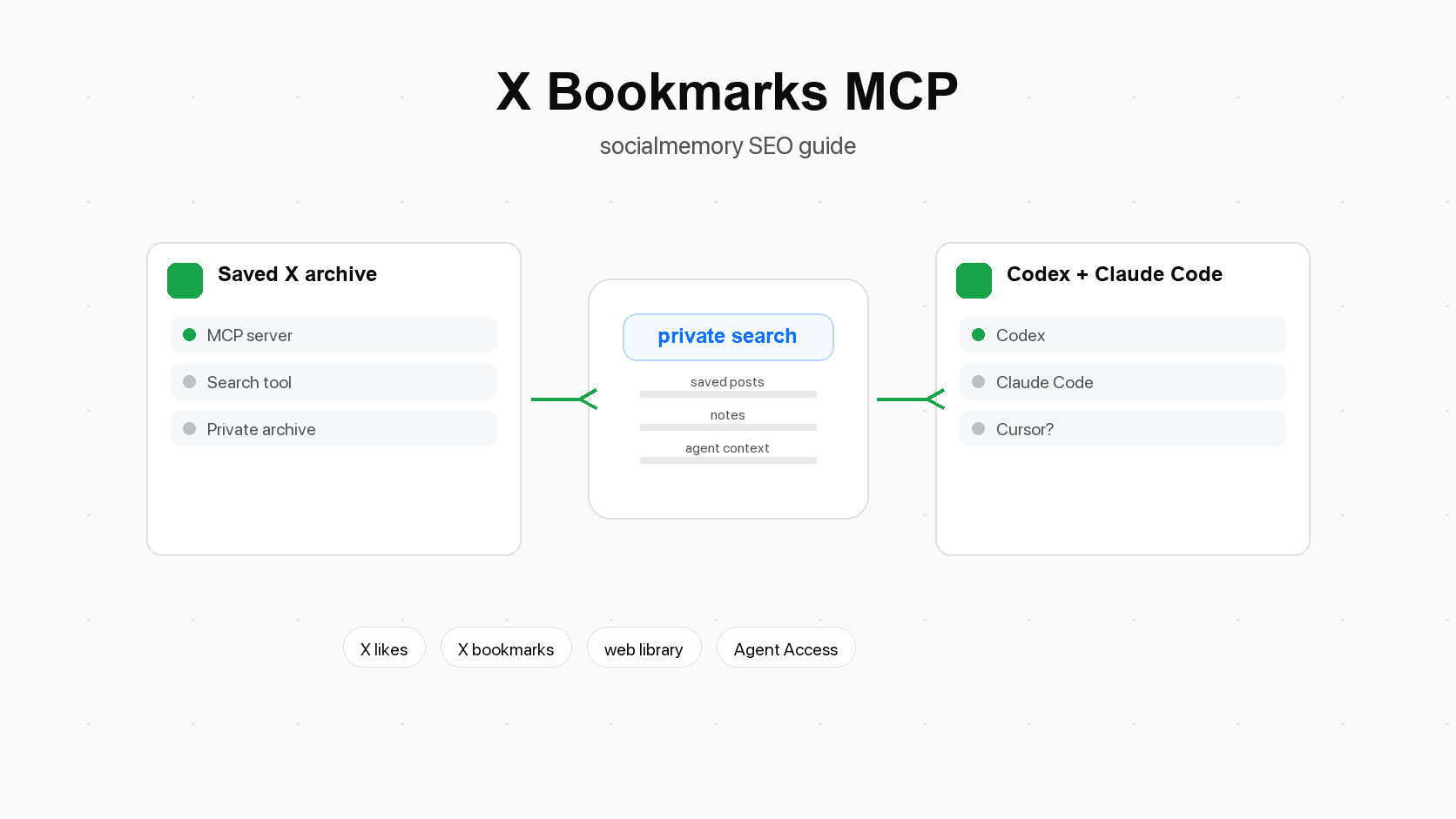
What is an X bookmarks MCP?
An X bookmarks MCP is a way for an AI agent to reach a saved-X archive through MCP. The archive can contain X bookmarks, liked posts, post text, author information, source links, media metadata, notes, tags, favorites, sync history, and result sets. The agent does not become X. It gets a narrow set of tools for asking useful questions about the saved posts you already chose to keep.
Mental model:
- X is where you discover and save posts.
- socialmemory is the private library where those saved posts are synced and organized.
- MCP is the local connection layer that lets an agent search that library.
- Codex or Claude Code is the place where you ask the agent to use the memory while doing real work.
Model, context, and protocol in plain language
The phrase Model Context Protocol can sound more abstract than it is.
"Model" is the AI system that writes, reasons, or plans. In this article, that usually means the model inside Codex, Claude Code, Claude, or another agent app.
"Context" is the extra information the model needs. A model can answer general questions from its training, but it does not automatically know your saved X posts, your project notes, your favorite design examples, or the libraries you bookmarked last month. That outside information is context.
"Protocol" literally means a set of rules. In software, a protocol is an agreed format for communication. MCP gives AI apps a common way to ask external tools for information or actions.
So an X bookmarks MCP means an AI app can ask a saved-X connector for relevant posts using a shared tool format.
Client, server, and tool in plain language
MCP has a few technical words that are worth defining before they become confusing.
The client is the app where the agent runs. Codex, Claude Code, Claude Desktop, and Cursor can be MCP clients in the right context. "Client" just means the software asking for something.
The server is the connector that exposes actions. In socialmemory's case, the public package is @socialmemory/mcp, a local MCP connector for saved X likes and bookmarks. "Server" does not always mean a big cloud machine. A local MCP server can run on your own computer and talk to the client through a controlled channel.
A tool is one action the server offers. Examples include searching saved X posts, reading one saved post, checking sync status, adding a note, merging tags, or creating a result-set link.
This split matters because a good MCP setup exposes specific tools with clear names and narrow jobs.
Why saved X posts are strong context for agents
Developers, designers, founders, writers, and researchers save posts on X (formerly Twitter) for many reasons: a library recommendation, a sharp product opinion, a UI screenshot, a pricing thread, a startup lesson, a bug fix, a launch checklist, a prompt idea, or a person worth following.
Those saves are not random. A bookmark usually means "I may need this later." A like can be softer, but it can still mark interest, agreement, taste, curiosity, or a future reference. Together, bookmarks and likes become a personal trail of what you noticed.
Your saved posts are already filtered by taste
Generic web search starts broad. Your saved X memory starts narrow. It contains things that already passed through your attention. That makes it especially useful for agents, because the agent can search inside your taste and history instead of searching the whole public web from scratch.
For example, "Search my saved X posts for onboarding examples, then suggest patterns that fit this app" is more personal than asking for generic onboarding advice.
Retrieval is the real problem
Retrieval means getting the right thing back later. Saving is easy. Retrieval is hard.
You may remember that you saved a post about a SQLite library, but not the author's name. You may remember a landing-page teardown, but not the exact phrase in the post. You may remember saving several posts about "AI agents with memory," but not whether you liked them, bookmarked them, or saw them inside a thread.
Native X search can help when you remember exact words, an author, or a time period. A saved-X library helps when you remember the idea but not the exact post. MCP matters when an agent should do that search during work.
What a saved-X MCP should let an agent do
A saved-X MCP should be useful without being dangerously broad. The goal is not to give an agent unlimited control over your X account. The goal is to let the agent search and use your private saved-post archive.
| Agent action | Why it is useful | Guardrail |
|---|---|---|
| Search saved X likes and bookmarks | Finds relevant posts for a task without manual scrolling | Default to read-only search |
| Read one saved post | Lets the agent inspect the exact item before using it | Return only the item requested |
| Check sync status | Helps the agent know whether the archive is fresh | Make freshness visible before relying on results |
| Add a note | Lets the user or agent attach context to a saved post | Append notes instead of overwriting existing notes |
| Merge tags | Keeps organization additive and recoverable | Add tags without deleting prior tags |
| Create a result-set link | Lets the user open the exact posts the agent found | Link to the selected result set, not the whole archive |
| Run a recent sync | Refreshes the archive from the local browser session | Treat full resync as an advanced recovery action |
| Add arbitrary new saved items | Usually not core to the job | Avoid making the connector a general write-anything tool |
The useful pattern is search first, inspect second, then optionally annotate or organize. Most saved-post workflows do not need broad X account control.
Codex, Claude Code, Claude, and Cursor: what to say accurately
MCP is now part of a broader agent ecosystem, so the article should name the tools readers are likely searching for. The wording needs to separate "the client supports MCP" from "socialmemory has a verified first-class setup for that client."
| Tool | How to describe it in this article | Current socialmemory wording |
|---|---|---|
| Codex | A coding agent surface where MCP can give tools and context to the agent | Current first Agent Access target |
| Claude Code | A local coding-agent surface with MCP support | Current first Agent Access target |
| Claude / Claude Desktop | Part of the broader MCP ecosystem and useful context for readers learning MCP | Mention as ecosystem context unless a specific socialmemory setup is verified |
| Cursor | Current first-class Agent Access target with a dedicated setup prompt | Use the Cursor setup path and keep it separate from full Chrome Sync |
| Generic MCP clients | Any app that can connect to compatible MCP servers | Possible future direction, not a promise that every client works today |
This distinction protects trust. Cursor now has a tested first-class socialmemory setup path. That still does not mean every generic MCP client is supported or that Cursor replaces Chrome Sync.
Practical workflows for saved X posts through MCP
The strongest use cases are not abstract. They happen when an agent is already helping with work and needs your saved context.
Project kickoff research
Before starting a new project, ask the agent to search saved posts for the domain, technology, or product pattern.
Example prompt:
> Search my saved X posts for anything about onboarding, activation, and first-run UX. Group the results into patterns, examples, warnings, and posts worth opening.
That gives the agent a personal research pack before it starts making suggestions. For a coding project, Codex can combine the repo context with the saved-post context. The same retrieval pattern applies inside Claude Code or Cursor.
Code and library recall
Builders often save posts about libraries, framework patterns, command-line tools, database tips, browser APIs, or debugging threads.
Example prompt:
> Search saved X posts for SQLite, local-first, and sync libraries. Return the posts that look relevant to this app, then explain which ones are worth reading first.
The agent should retrieve candidates, summarize why each may matter, and let you decide.
Design and product swipe files
Saved X posts often contain screenshots, landing pages, app flows, teardown threads, and product positioning ideas. An MCP search can turn that into a working swipe file.
Example prompt:
> Find saved posts about pricing pages and explain the repeated patterns. Create a result-set link with the strongest examples.
That result-set link lets the human inspect the same source material.
Launch, pricing, and strategy research
Founders often save advice that is hard to categorize in the moment: launch stories, pricing experiments, positioning examples, growth loops, hiring lessons, and investor notes.
Example prompt:
> Search my saved X posts for launch advice, waitlists, and founder-led distribution. Pull out concrete tactics, then separate strong examples from vague advice.
That last instruction tells the agent not to treat every saved post as equally true.
Notes, tags, and result-set links
After a useful search, the agent can help attach light structure.
Example prompt:
> For the saved posts you found about AI agent memory, suggest tags. Add only the tags I approve, and create a result-set link for this research pack.
The agent can suggest structure, but sensitive or broad changes should remain explicit.
Security and privacy guardrails
MCP is powerful because it connects agents to real tools and data. That is also why the connector should be narrow and clear.
Least privilege in plain language
"Least privilege" means giving software only the access it needs for the job. If the job is searching saved posts, the connector should not need broad permissions to modify unrelated data.
For saved X memory, a safe default is read-first:
- Search saved posts.
- Read selected posts.
- Check status.
- Create a result-set link.
- Ask before notes, tags, sync, or anything that changes state.
Least privilege also reduces damage if something goes wrong. A narrow connector is easier to reason about than a tool that can do everything.
Credentials and tokens should stay out of chat
A token is a secret text key that proves access. A credential is the broader private access proof stored by the setup flow. The important rule is simple: do not paste secrets into normal agent chat.
The socialmemory setup should prefer browser-approved login and local credential storage. On macOS, the CLI can store the credential in Keychain. Keychain is Apple's private credential storage system. If a visible raw token exists, it should remain an advanced fallback, not the normal consumer setup path.
Good article wording:
- "The setup flow stores the credential privately."
- "Do not paste tokens into chat."
- "Use the raw-token setup only as an advanced fallback."
Risky article wording:
- "Copy your token into Codex."
- "Paste this secret into Claude."
- "Give the agent full access to your X account."
Sync should check the local browser session first
Socialmemory sync depends on the local X/browser session when collecting saved posts from the user's machine. A good setup check should confirm that the browser is signed into X and readable before starting sync work. That prevents misleading failed sync records caused by a local browser problem.
This is especially important for first sync. The first sync should be full, newest-first, and progressive so the library can fill over time. After that, normal sync should be incremental.
MCP vs API vs browser extension vs web library
MCP is not the same thing as an API, a browser extension, or a web app. They can work together, but each has a different role.
| Layer | Plain meaning | socialmemory job | What not to claim |
|---|---|---|---|
| Browser extension | A small browser add-on that can work with the signed-in browser session | Primary consumer sync path for X likes and bookmarks | Do not call it Agent Access |
| Web library | The normal website UI for humans | Browse, search, filter, inspect, tag, note, and organize saved posts | Do not imply agents are required for basic search |
| API | A data/service interface software can call | Backend access to saved archive actions | Do not make the fallback API more powerful than MCP |
| MCP server | The agent-facing connector that exposes tools | Let Codex, Claude Code, and Cursor search and use saved X memory | Do not imply MCP controls the client's visual UI |
| MCP client | The AI app that calls MCP tools | Codex, Claude Code, and Cursor today; broader clients as ecosystem context | Do not imply every MCP client is tested |
One useful boundary: API controls the data interface, MCP controls the agent tool interface, and the client UI controls what the user sees. An MCP server can return structured data, but it cannot force every client to render rich cards or custom visual components.
When MCP is not the first step
MCP is not always necessary.
If you need one saved post and you remember exact words, start with X search or the socialmemory web library.
MCP matters when the saved posts should shape a larger task:
- "Before editing this onboarding page, find my saved posts about onboarding."
- "Before choosing a vector database, find saved posts about embeddings and search."
- "Before writing this launch post, find saved posts about launches in this market."
- "Before building this agent feature, find saved posts about tool calling, MCP, and memory."
The agent is useful when retrieval is part of a workflow, not when you simply want to click around.
Troubleshooting an X bookmarks MCP setup
If an X bookmarks MCP setup does not work, separate the problem into small checks.
First, check whether the connector is installed in the agent app. In Codex, the setup command installs the bundled plugin and MCP server configuration. Claude Code uses its generated MCP setup command. Cursor uses the generated setup prompt that safely merges the official connector into its local configuration.
Second, check whether login succeeded. Browser approval alone is not enough. The CLI should be able to show status afterward.
Third, check whether the server can reach socialmemory. If server access fails, the problem may be authentication, network access, the base URL, or account state.
Fourth, check whether the local browser is signed into X when sync is needed. Search can work against an existing archive even if the current browser session cannot sync new posts. Sync needs the browser side to be readable.
Fifth, check freshness before assuming the connector is broken.
Useful checks to describe in the article:
- socialmemory status shows archive and credential status.
- socialmemory doctor checks the local setup.
- get_socialmemory_status is the agent tool that should prove the archive is reachable inside an MCP session.
Avoid printing secrets while troubleshooting. A setup log can say where a credential is stored without revealing it.
The bigger direction: personal memory MCPs
X bookmarks are one practical starting point for a larger idea: personal memory that agents can use during work.
Agents become more useful when they can retrieve the right personal context at the right time. That context might be saved X posts today. Later it could include notes, project decisions, saved articles, relationship context, recommendations, meeting notes, or research libraries. The category is larger than X, but socialmemory's current product truth is specific: it starts with saved X likes and bookmarks.
That focus is a strength. X is where many builders already collect high-signal material: tools, examples, opinions, screenshots, debates, lessons, and people. Turning those saves into agent-readable memory is a concrete step toward a private memory layer.
The important product promise is not "your agent remembers everything." The better promise is narrower and more believable: "your agent can search the saved X posts you already collected when those posts are relevant to the work."
Sources for X Bookmarks MCP: Connect Saved Posts to Codex and Claude Code
- modelcontextprotocol.ioOfficial MCP introduction. Use for the plain-language definition of MCP as a standard way AI applications connect to external systems, tools, data sources, and workflows.
- modelcontextprotocol.ioOfficial MCP security guidance. Use for least-privilege, scope-minimization, local server, and authorization guardrails.
- www.anthropic.comAnthropic MCP launch context. Use for ecosystem background and the idea that MCP was introduced to connect AI tools with data sources.
- code.claude.comClaude Code MCP docs. Use for Claude Code support and setup concepts.
- developers.openai.comOpenAI Codex MCP docs. Use for Codex MCP support and the description that MCP gives Codex access to third-party tools and context.
- cursor.comOfficial Cursor MCP documentation for Cursor support and setup context.
- docs.x.comX API bookmark docs. Use for the fact that X bookmark endpoints can view/add/remove bookmarked posts for the authenticated user and that bookmarks are private to the user.
- www.npmjs.comOfficial public socialmemory MCP package on npm.
- github.comPublic MCP-only repository. Use as a technical source if the README is needed during integration.