
What this comparison is really about
Many comparison pages pretend there is one obvious winner. A useful comparison explains the job each tool is built for, the tradeoffs, and where the competitor remains the better choice.
Here, the split is fairly clear.
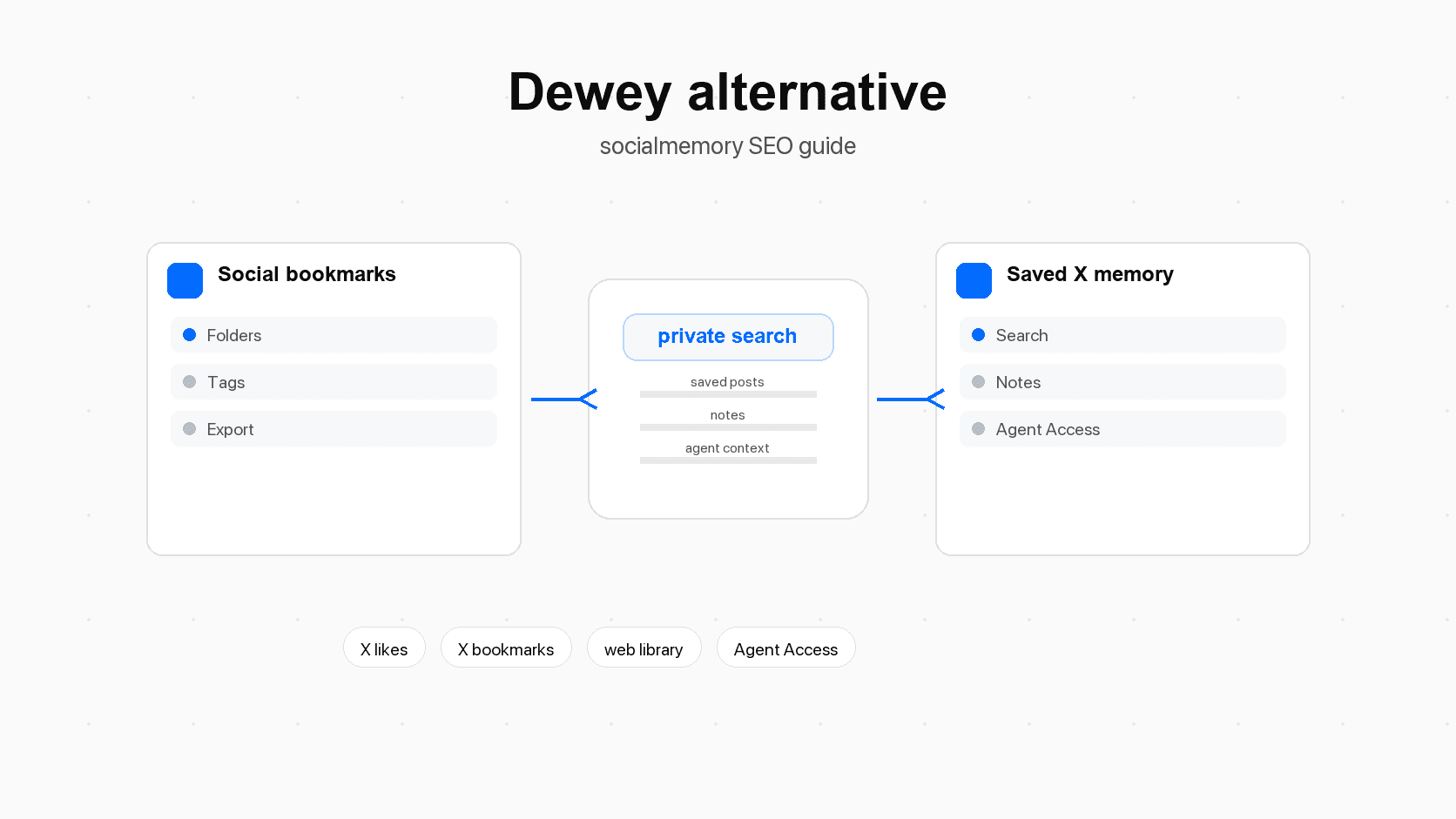
Dewey is a broader social bookmark manager
Dewey's public homepage and Chrome Web Store listing emphasize a broad bookmark-management job: saving bookmarks in one place, searching across them, organizing them with folders and tags, exporting the library, sharing folders, syncing to other tools, and supporting multiple social networks.
That breadth is valuable if your saved content is spread across X, LinkedIn, Bluesky, TikTok, Threads, Reddit, Substack, or other sources. If you want one dashboard for saved social content, Dewey belongs on your shortlist.
Why a fair comparison matters
A fair Dewey alternative article should not say Dewey is weak at things Dewey publicly claims to support. Dewey's own pages mention search, tags, folders, export, Notion sync, RSS, public sharing, and AI bulk tagging. Those are real comparison points.
The fair socialmemory argument is narrower: if your saved knowledge is mainly X likes and bookmarks, and you want that memory available inside Codex, Claude Code, or Cursor, socialmemory is aimed more directly at that workflow.
Dewey in plain language
Dewey is a bookmark manager for social and web content. A bookmark manager is a tool for saving links or posts so you can find them later. Dewey's public positioning is about collecting saved social content into one central hub, then making it searchable, organized, exportable, and shareable.
What Dewey appears strongest at
Dewey looks strongest for people who want a general archive. The product language highlights a central place for favorite tweets, posts, pins, links, videos, images, and quotes, with search across bookmarks, tags, authors, and notes.
Its organization story is also broad. Dewey's Chrome Web Store listing mentions folders, nested folders, and tags. Nested folders means folders inside folders, like "Research" then "Pricing" then "SaaS pricing." Its homepage also emphasizes export formats such as CSV, searchable PDFs, Google Sheets, and associated media. Export means taking your data out of the app so you can keep a copy, analyze it, or move it somewhere else.
What Dewey sources support
The reviewed Dewey pages support claims around multi-source bookmark saving, search, folders, nested folders, tags, notes, AI bulk tagging, export formats, public sharing, RSS feeds, Notion sync, Chrome extension based X bookmark syncing, and X Premium or Twitter Blue folder syncing. Treat those as Dewey strengths unless a fresh source check proves otherwise.
Who should keep Dewey on the shortlist
Keep Dewey on your shortlist if your saved content is spread across multiple networks and your main need is organization, export, or public collections. Public collections are saved groups of content that other people can view, which can be useful for creators, researchers, marketers, and community builders.
If your question is "How do I manage social bookmarks from many places?", Dewey may be closer to the problem.
Search: finding the post later
Search is where the comparison becomes practical. Most people do not buy a bookmark tool because they enjoy filing things. They buy it because they cannot find the post they saved.
Exact search and remembered details
Exact search means searching for the actual words in a post. If you remember the author, a phrase, or a date range, start with X's own tools. X Advanced Search lets you narrow by words, people, dates, and other fields.
The problem begins when your memory is vague. You remember the idea, but not the wording, author, or date. That is when a private saved-post library becomes useful.
Meaning search and idea-based recall
Meaning search means searching by idea rather than exact wording. For example, "posts about reducing signup friction" could find saved posts that use words like onboarding, activation, form fields, empty states, or conversion.
Socialmemory's product direction includes exact search and meaning search, with the important caveat that meaning search depends on AI search preparation being ready. AI search preparation means the app has processed saved posts so the system can match related ideas, not just exact text.
For publishing, keep the wording honest: socialmemory can support exact search as soon as posts exist, and meaning search should be described as available when preparation is complete.
When native X search is still enough
Do not overcomplicate simple searches. If you know the exact phrase, author, or date, try X search first. If you only need one public post and you do not care whether it is in your saved archive, native X search may solve the problem faster.
Use socialmemory when the problem is your personal saved archive: the posts you liked or bookmarked, the notes and tags you add, and the context you want available outside the scroll.
Export, portability, and long-term ownership
Export is one of Dewey's clearest public strengths.
Dewey's export-first strength
Dewey's homepage and Chrome Web Store listing emphasize exporting bookmarks, including formats such as CSV, searchable PDFs, Google Sheets, and associated media. CSV is a plain spreadsheet-style file many tools can open.
If you mainly want a copy of your archive outside X, export should be high in your decision matrix.
Socialmemory's reuse-first strength
Socialmemory's stronger argument is reuse, not export. Reuse means taking saved posts and applying them to a task: planning a feature, writing a brief, finding design examples, building a digest, or asking Codex to pull relevant saved posts into a coding workflow.
That does not make export unimportant. It means export should not be the headline socialmemory claim unless the current product confirms it.
When to use both
Some users may use both tools. Dewey can be the broad archive for multi-platform social bookmarks and exports, while socialmemory can be the saved-X memory layer used by Codex, Claude Code, or Cursor. The right question is where each saved signal becomes most useful.
Agent Access: the biggest product difference
The biggest socialmemory differentiator is Agent Access for Codex, Claude Code, and Cursor.
What Agent Access means in normal language
Agent Access means your AI coding assistant can search your saved X memory when you ask. Codex, Claude Code, and Cursor are tools that help with software work. They can read code, explain code, plan edits, and help build features. When connected to a useful memory source, they can also bring in context you already saved.
This does not mean the agent should have unlimited control over X. The safer pattern is narrow: search saved posts, read saved posts, refresh the archive when appropriate, add notes or tags when you ask, and return result links when helpful.
Example Codex, Claude Code, and Cursor workflows
| Workflow | What the user asks | Why saved X memory helps |
|---|---|---|
| Product planning | "Find posts I saved about activation and onboarding before we revise this signup flow." | The agent can retrieve examples and opinions the user already trusted. |
| Frontend design | "Find saved UI references about pricing tables and empty states." | X saves often contain screenshots, examples, and design critiques. |
| Technical research | "Do I have saved posts about this Supabase auth issue?" | The archive can surface old fixes, threads, and libraries without manual scrolling. |
| Writing | "Based on what I saved this week, what should I write about?" | Likes and bookmarks reveal themes the user has already been collecting. |
| Digest | "Summarize the best saved posts about AI agents from this month." | The agent can turn passive saving into a useful review habit. |
| Tagging | "Tag useful posts about pricing, onboarding, agents, and frontend." | The agent can reduce manual organization work after search. |
Why saved X posts help agents
Agents are strongest when they have the right context. Context means information that helps the agent understand what matters for the task. Your saved X posts can include libraries you wanted to try, advice from people you trust, interfaces you liked, launch lessons, and technical debates.
Without a memory layer, that context stays buried. You either remember it manually, search X yourself, or paste links one by one.
Setup and sync expectations
Setup is part of the product comparison because a saved-post tool is only valuable if the archive is current enough to trust.
First sync
For socialmemory, first sync should collect likes and bookmarks automatically, run newest-first, and let the library fill progressively. Newest-first means the most recent saved posts appear first, so the archive becomes useful before the deepest historical sync has finished.
Dewey's public help center also describes Chrome extension based X bookmark syncing and automatic download behavior for X/Twitter bookmarks. That is a real Dewey strength.
Normal sync
After first sync, normal sync should be incremental. Incremental means it checks what changed since the last sync instead of crawling everything again. Users should not have to rerun a heavy process every time they want recent saves.
Cross-device use
The clean socialmemory model is: any signed-in device can view and organize the existing library, but fresh collection needs an environment that can access the user's live X session. In plain language, viewing can happen anywhere; syncing needs a browser or local agent setup that is actually signed into X.
| Moment | Dewey expectation from reviewed sources | socialmemory expectation |
|---|---|---|
| First setup | Install/connect Dewey, then bring bookmarks into the Dewey dashboard | Sign in, start trial, connect Chrome sync, then watch the saved-X library fill |
| First archive | Broad social bookmark archive across supported sources | Saved X likes and bookmarks, newest-first, progressively appearing |
| Normal refresh | Dewey help describes auto-sync for X bookmarks through the Chrome extension | Sync Now should be incremental and avoid repeated full crawling |
| Folder handling | Dewey help describes syncing X Premium/Twitter Blue folders | socialmemory can treat folders as one filter/source of saved context when available |
| Agent setup | Reviewed Dewey sources focus on bookmark management, not Codex or Claude Code setup | Agent Access is an explicit product surface for Codex, Claude Code, and Cursor |
Pricing and buying criteria
Pricing changes often, so verify current plan pages before publishing. Treat this section as buyer guidance, not permanent pricing documentation.
As of this draft's source pass, socialmemory's public product plan is Personal at $12/month with a 7-day free trial. Dewey's pricing should be verified directly from Dewey before publication.
What to verify before deciding
Before choosing, check five practical things:
- Which sources do you need? If it is mostly X, socialmemory is more focused. If it is many networks, Dewey is broader.
- Do you need export? If export is central, Dewey's public positioning is stronger.
- Do you need Codex, Claude Code, or Cursor? If yes, socialmemory's Agent Access is the key differentiator.
- Do you want deep organization? Dewey's folders, nested folders, and broad tagging may fit better.
- Do you want lightweight retrieval? Socialmemory should fit better when search, notes, tags, and agent reuse matter more than maintaining a large folder system.
Buyer-fit table
| Buyer situation | Better starting point | Why |
|---|---|---|
| "I save content across many social platforms." | Dewey | Dewey is positioned around broad social bookmark management. |
| "I mainly care about X likes and bookmarks." | socialmemory | socialmemory is focused on saved X memory. |
| "I need CSV, PDF, Sheets, or media exports." | Dewey | Dewey's public pages make export a major promise. |
| "I want Codex, Claude Code, or Cursor to search my saved posts." | socialmemory | Agent Access is a first-class socialmemory surface. |
| "I want public collections or shared folders." | Dewey | Dewey public pages mention folder sharing and public collections. |
| "I want a private web library plus agent context." | socialmemory | The product model combines web library use with optional Agent Access. |
| "I just need one old post." | X search first | Native X Advanced Search may be enough when exact details are known. |
Which product should you choose?
The clearest decision is based on the job you need done.
Choose Dewey when
Choose Dewey when your saved content is broad. If you want X, LinkedIn, Bluesky, TikTok, Threads, Reddit, Substack, and web bookmarks in one bookmark manager, Dewey is built closer to that shape. Choose Dewey when export, public folders, RSS, or nested folder organization matter.
This is especially true for creators, marketers, researchers, and teams that curate content for reuse outside an agent workflow.
Choose socialmemory when
Choose socialmemory when the valuable archive is mostly X and the next step is not just storage. Choose it when you want to find old liked or bookmarked posts, browse a private web library, add light notes and tags, and let Codex, Claude Code, or Cursor use saved X posts during work.
Choose X itself when
Choose X itself when the task is simple. If you remember the author, exact words, or date range, native X search and X Advanced Search may find the post. A dedicated library becomes useful when your archive is large, your memory is fuzzy, or you want saved posts outside X.
Next step
If your main problem is broad social bookmark organization, start by comparing Dewey's current plan and feature pages with other bookmark managers.
If your main problem is that useful X likes and bookmarks disappear into the scroll, start with socialmemory. Sync your saved X posts into a private library, search and organize them from the web app, then connect Codex, Claude Code, or Cursor when you want your agent to use that saved memory during real work.
Sources for Dewey Alternative: socialmemory vs Dewey for X Bookmark Search and Agent Access
- getdewey.coDewey homepage. Use for Dewey positioning around saving bookmarks in one place, multi-source social bookmarks, search, folders/tags, AI tagging, export, Notion sync, RSS, public sharing, and multiple accounts.
- chromewebstore.google.comDewey Chrome Web Store listing. Use for current public extension language around search, sort, organize, export, folders, nested folders, tags, sharing, RSS, Google Sheets integration, trial language, rating count, and updated date.
- getdewey.coDewey pricing. Use only after re-checking live plan rows before publication. Pricing and feature rows are high-drift.
- getdewey.coDewey automatic X/Twitter bookmark sync guide. Use for Dewey auto-sync language and Chrome extension based sync wording.
- getdewey.coDewey X Premium/Twitter Blue folder sync guide. Use for Dewey folder sync language and non-duplication claim if still present.
- getdewey.coDewey AI organization page. Use for Dewey AI tagging/organization positioning after re-checking the live page.
- help.x.comX Help: Bookmarks. Use for native bookmark privacy language.
- help.x.comX Help: Advanced Search. Use for native X search fallback and exact-search guidance.
- www.socialmemory.devSocialmemory homepage. Use for current public wording around X likes/bookmarks, web library, exact/meaning search, notes/tags, Agent Access, Codex, Claude Code, Personal plan, and trial.
- developers.openai.comOfficial Codex docs. Use for Codex as a coding agent.
- developers.openai.comOfficial Codex MCP docs. Use only for technical source notes or developer-facing wording; consumer article copy should prefer "Agent Access" language.
- code.claude.comClaude Code MCP docs. Use for Claude Code external-tool connection background.
- modelcontextprotocol.ioMCP docs. Use for plain-language source note that MCP connects AI applications to external systems. Do not lead the consumer article with MCP jargon.
- github.comPublic socialmemory MCP repo. Use cautiously because some README language may lag the current Chrome-sync-first product direction in local docs.
Socialmemory is a focused saved-X memory layer
Socialmemory starts with a narrower belief: many builders, designers, founders, and researchers already save high-signal knowledge on X. They save product takes, code snippets, design examples, launch lessons, AI tools, and arguments from people they trust.
The problem is not capture. Capture already happened. The problem is retrieval. Retrieval simply means getting the right thing back later. Socialmemory makes saved X posts retrievable in the web library and, when connected, inside Codex, Claude Code, or Cursor.